Skip to content
KINGmacOS

AiKing

Local AI on your computer. No prior knowledge required.

You’ve heard about local AI but don’t know where to start? AiKing guides you through it: it checks your computer, suggests suitable models, installs everything, and provides a simple interface for text, images, speech, and music. And when you build your own apps with AI, they communicate with your local models via AiKing – complete with instructions for your AI.

incl. VAT · One-time purchase · one license for up to 3 devices

What AiKing requires

macOS 15 Sequoia or later · all requirements

Setup
in minutes
Runs
on your computer
Tasks
Text, image, speech, music
Cost per request
Zero
What it’s for

Local AI without having to dig into the tech.

Local AI sounds tempting: no subscription, no data in foreign hands. But beginners stumble over questions: Which program? Which model fits my memory? How does my app talk to the model? AiKing answers them for you.

Who it’s for

You want to try local AI.

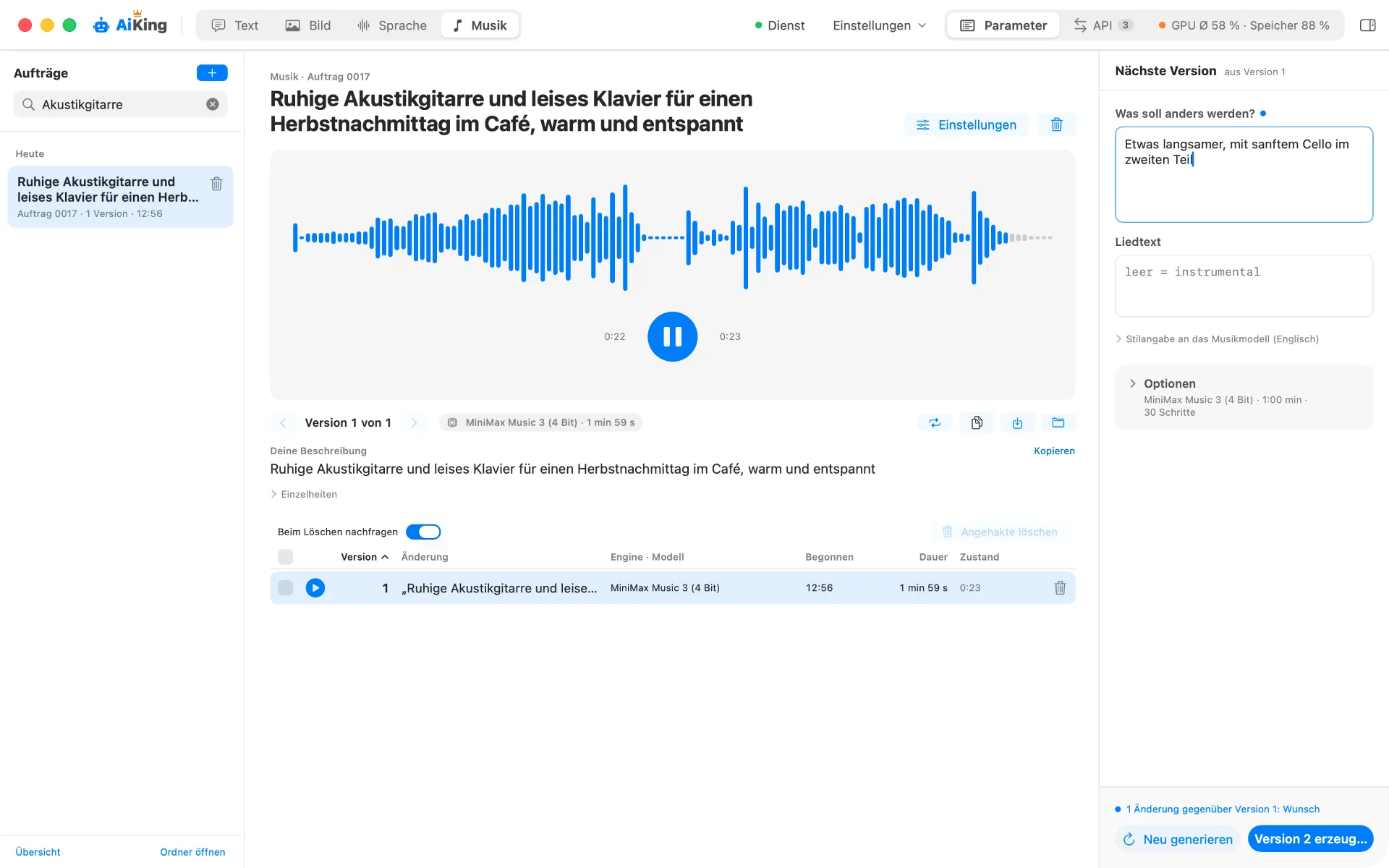
AiKing checks your RAM and storage, suggests suitable models, and installs everything. Then you write in German what you want: a text, an image, a voiceover, or a piece of music.

You build apps with AI – even without a computer science degree.

Your app needs AI, and the data shouldn’t leave your house? AiKing exposes your local models via an endpoint, assigns each app its own key, and provides the instructions for your AI to establish the connection.

You want an overview.

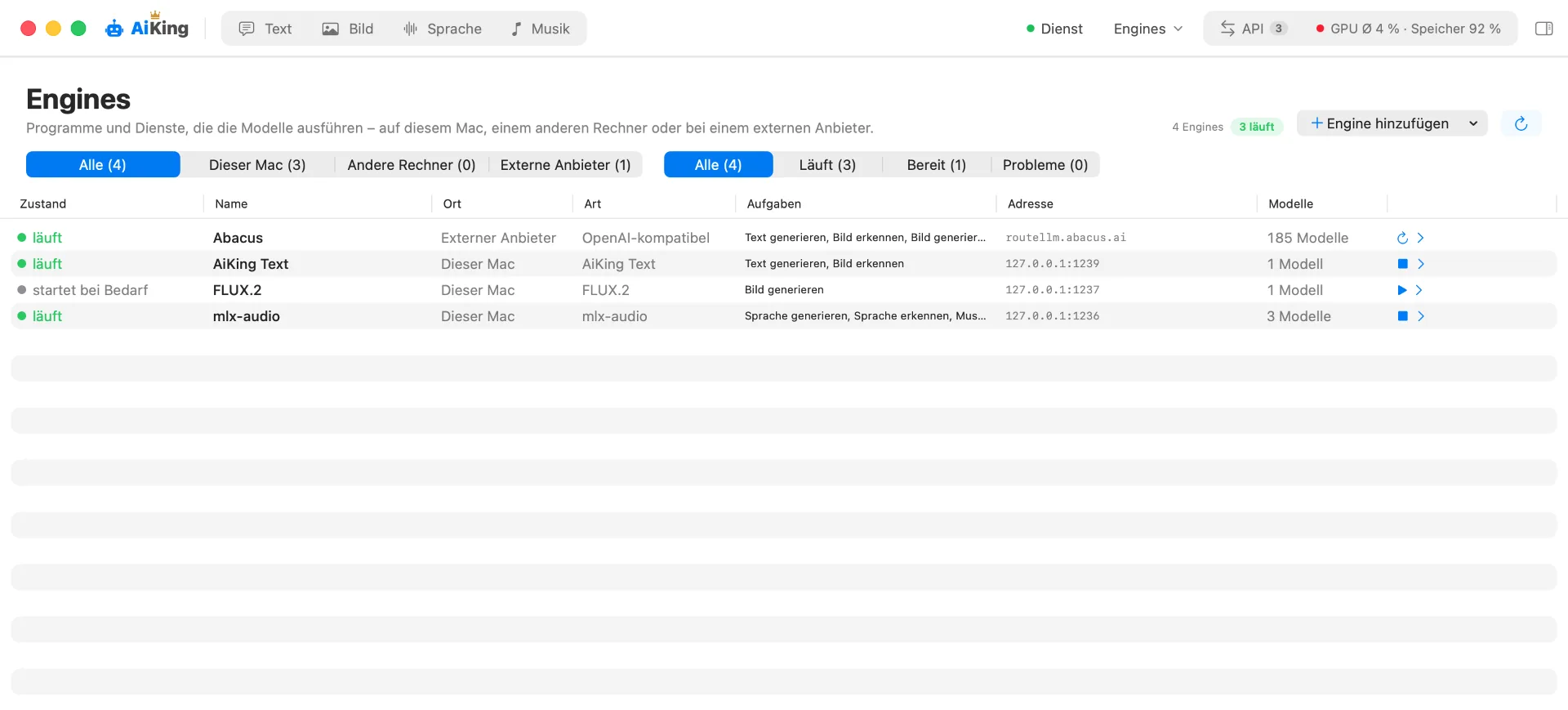
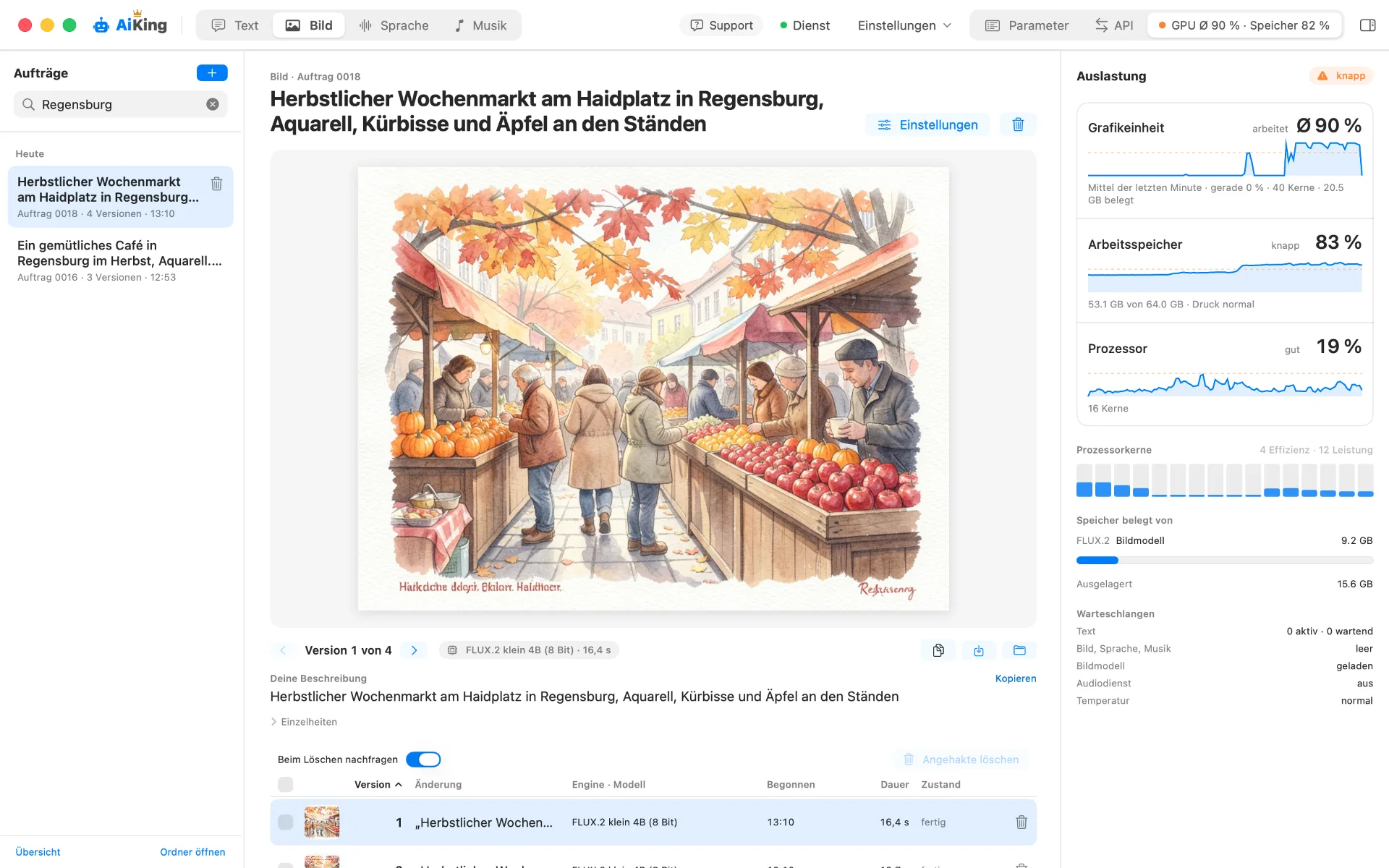
All models, all apps, and your computer’s load at a glance. Fewer knobs than in professional tools, but easier to understand.

Scenario 1 · Try it out

Try local AI – without prior knowledge.

You’ve heard about local AI and want to try it out? AiKing guides you from the first start to your first image.

  • Matching your computer – AiKing measures RAM and free space and suggests models that actually run on it.
  • All in one app – Text, images, voiceover, and music, each on its own page. You write in German what you want.
  • Cloud, if you like – Connect existing accounts like Abacus – for tasks your computer can’t handle.
Scenario 2 · Build apps with AI

Build apps with AI – even without a computer science degree.

You build your own apps with the help of AI, and those apps need AI themselves – perhaps with data your house shouldn't let leave? AiKing is the place where your apps talk to your local models.
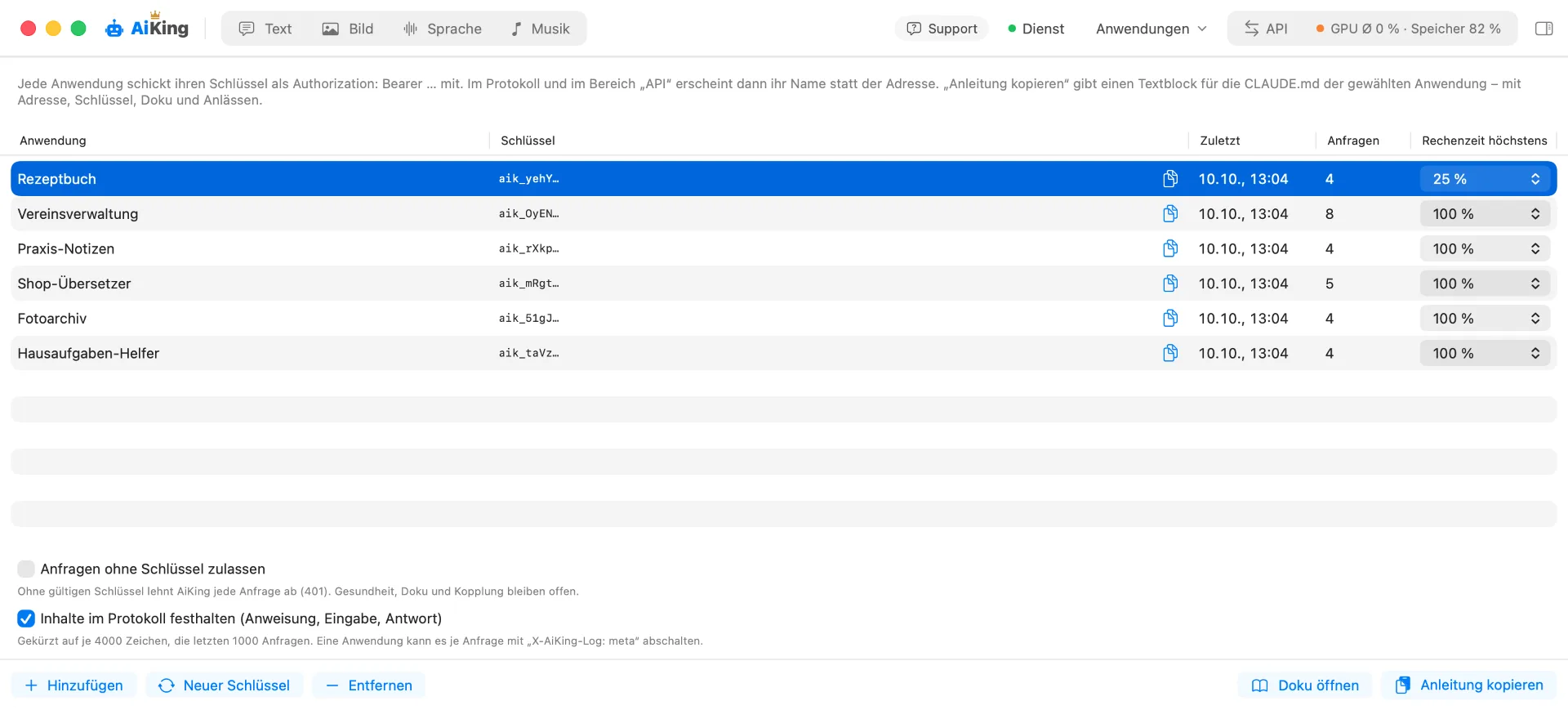
  • One address for all apps – Compatible with OpenAI: Ready-made libraries work without modification.
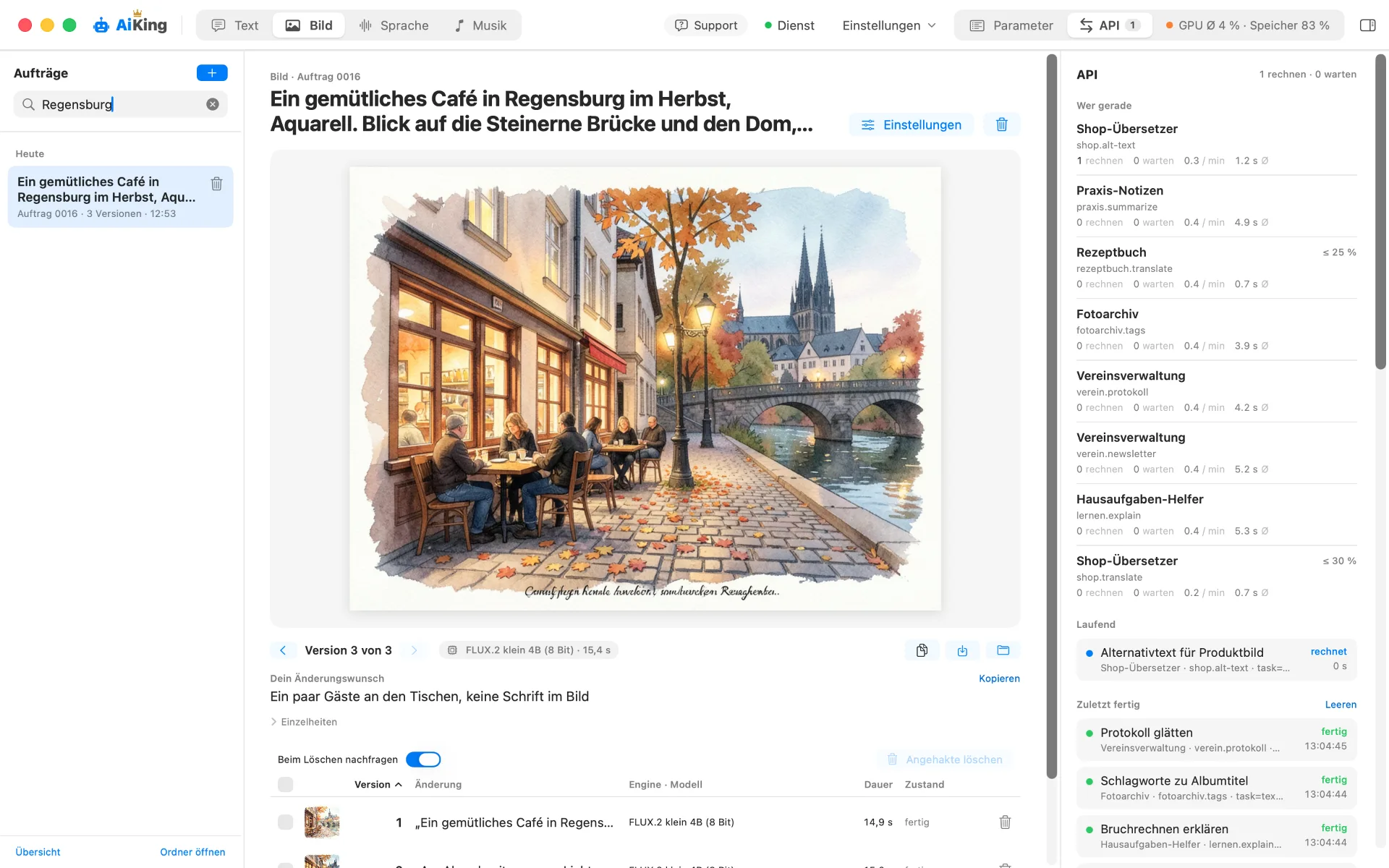
  • One key per app – You always see which app is computing what, and can block a single one without disturbing the others.
  • Instructions for your AI – You copy the programming instructions with one click and give them to your AI. It builds the connection.
  • Multiple computers on request – If one computer isn't enough, several share the work. They find each other automatically on the same network.
  • In use – softwarea.de, FeedbackSchool and MEDIA JUNQEE compute via AiKing – 267 requests in one day, all local.
Scenario 3 · Overview

Everything at a glance.

All models, all apps, and your computer's load in one interface. Fewer knobs than in pro tools – but much easier to understand.

  • Models and Engines – What's installed, what's running, and what's available.
  • Load – GPU, memory, and temperature with history.

What AiKing can do

Six tasks, one address. You decide which model powers them.

01 · POST /text/generate

Generate text

Using the built-in AiKing Text engine – or via LM Studio, Ollama, and oMLX, if you already use them.

02 · POST /image/generate

Generate images

AiKing does the processing itself with FLUX.2, right on your computer.

03 · POST /image/recognize

Recognize images

Have images and PDFs described and their contents extracted.

04 · POST /speech/generate

Generate speech

Have text read aloud — the request chooses the voice and speed.

05 · POST /speech/recognize

Recognize speech

Turn recordings into text with Whisper.

06 · POST /music/generate

Generate music

Generate music tracks with or without vocals.

Get started

  1. 01

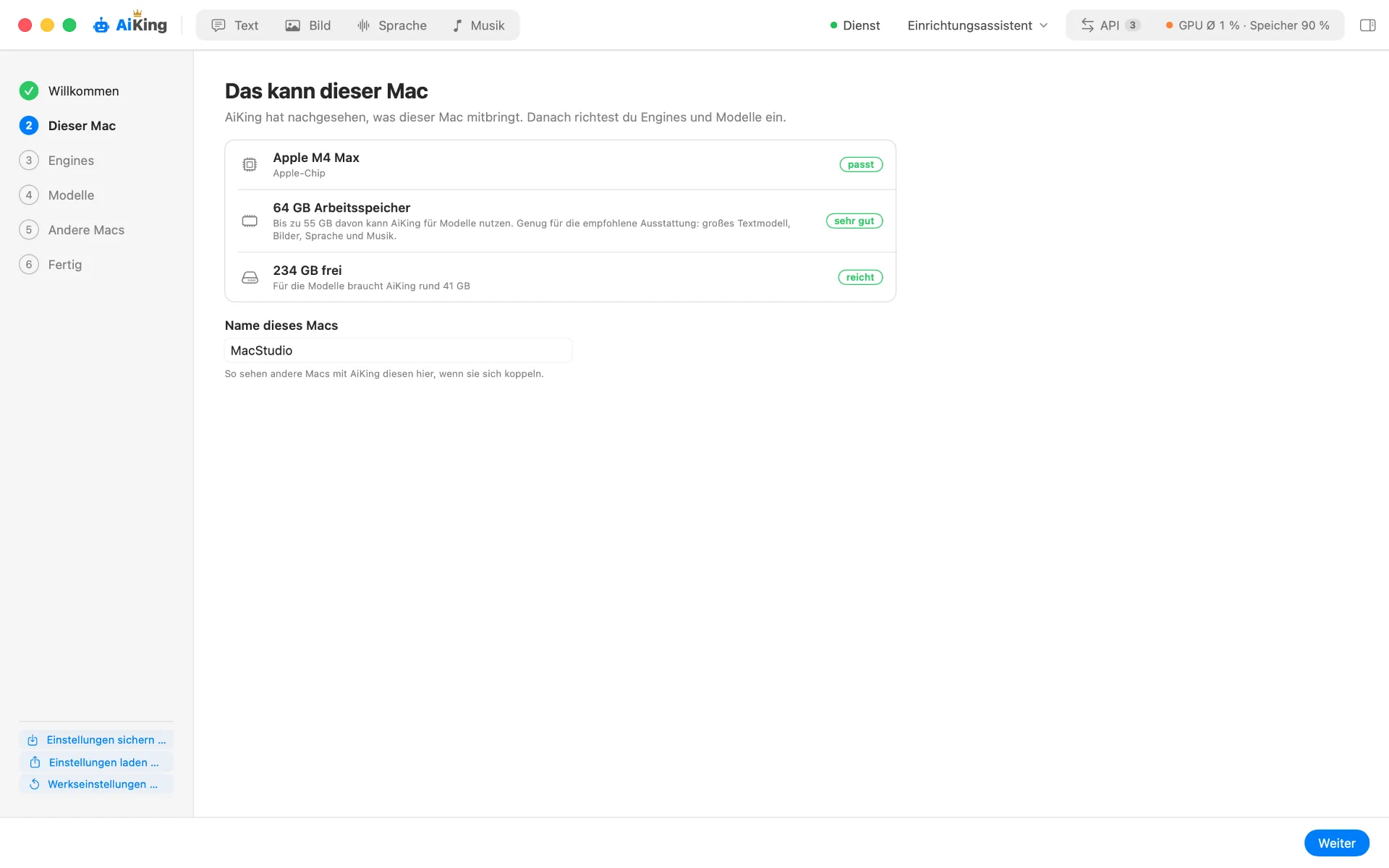
    Check your computer

    AiKing checks how much memory is available for models and recommends a suitable setup, with alternatives.

  2. 02

    Set up engines

    AiKing installs what you need and keeps it up to date.

  3. 03

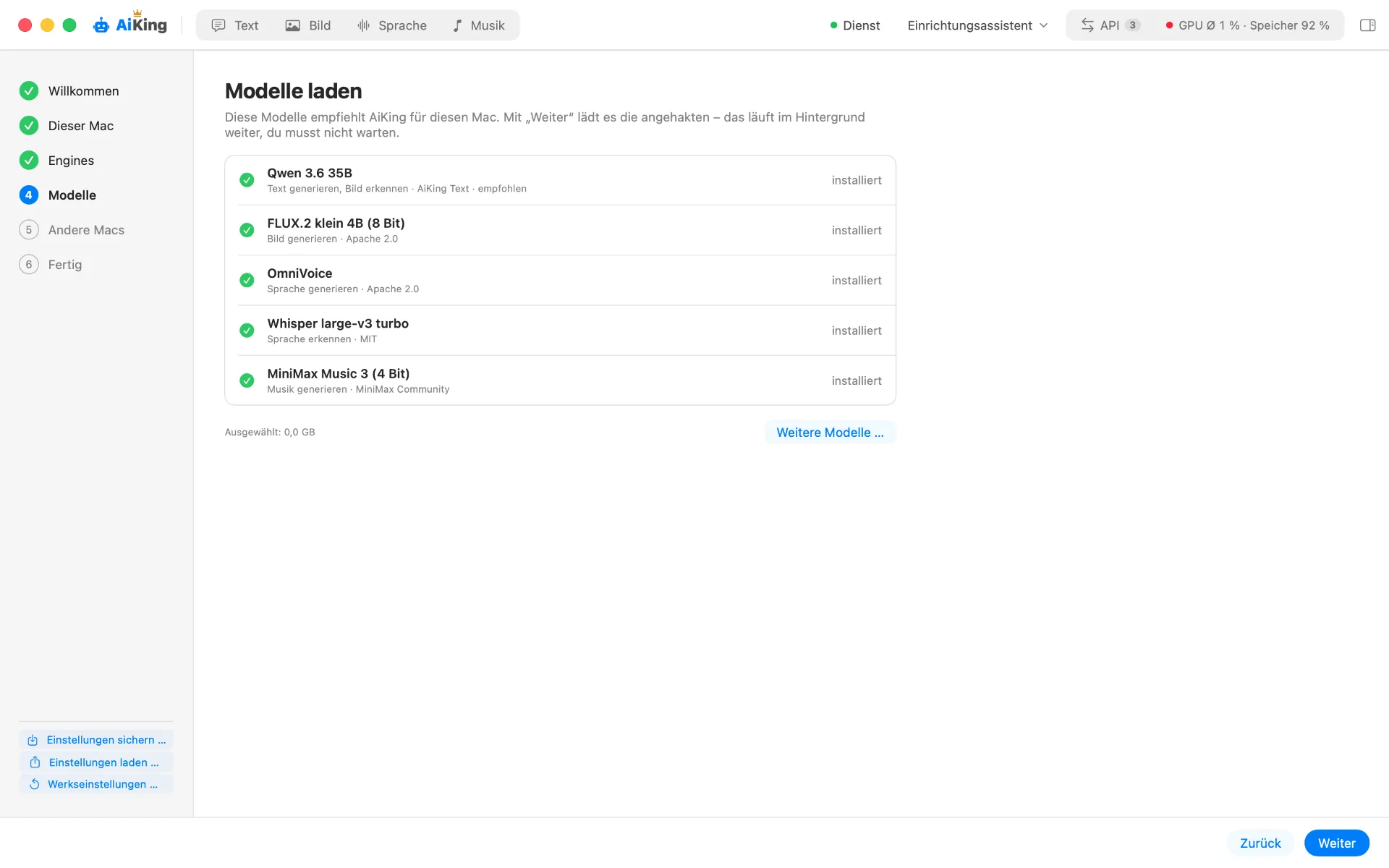
    Load models

    Setup takes a few minutes. Models keep downloading in the background, taking 10 to 60 minutes depending on your connection.

  4. 04

    Get started

    Enter your prompt in the app or connect your applications with your own key.

In the app

Four pages, one interface.

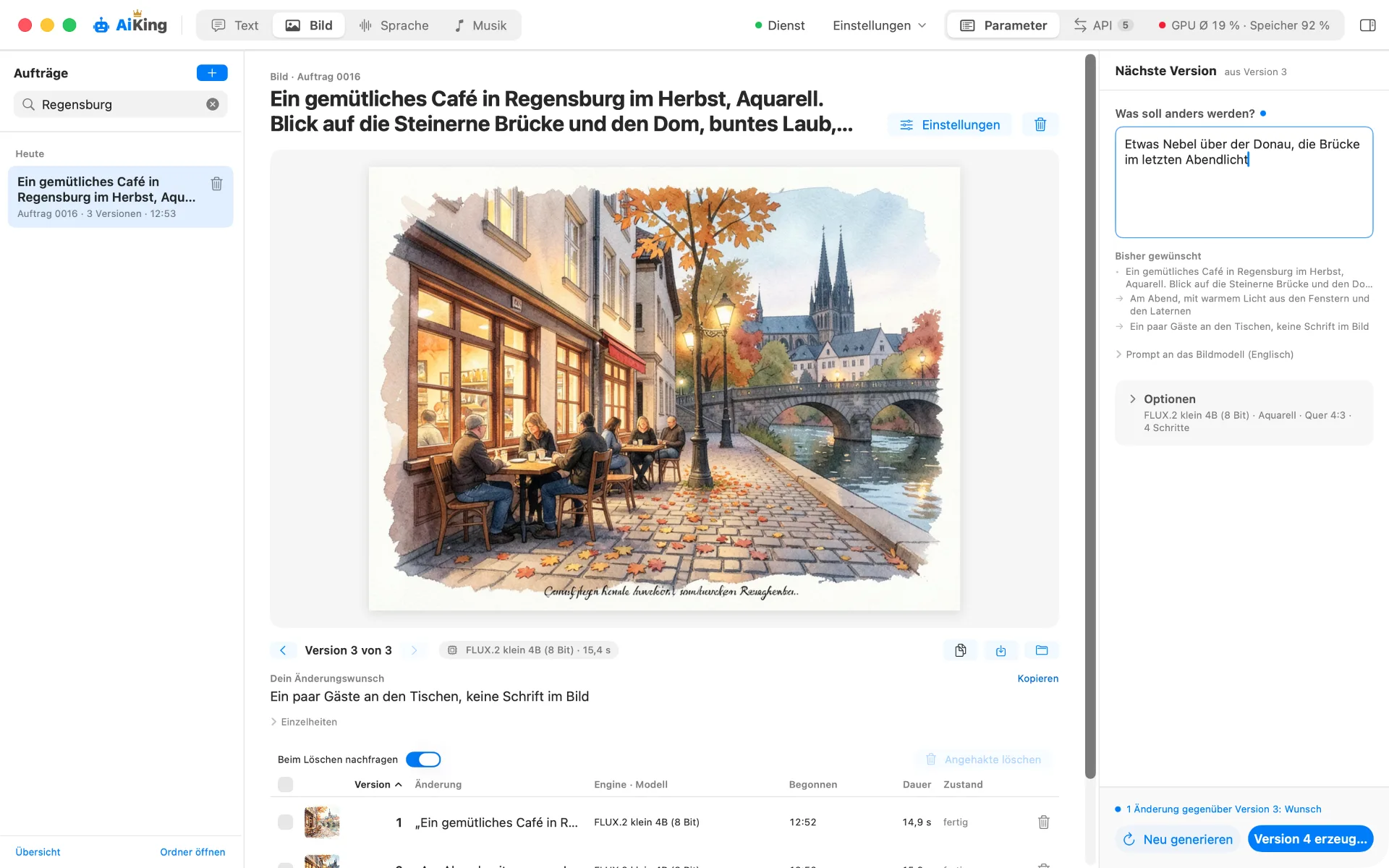
Text, Image, Speech, and Music each have their own page: enter a prompt, view the result, and adjust parameters.

  • In German – For images and music, AiKing writes the English prompt for you.
  • Follow-up questions – With Text, you can continue a conversation, including with PDFs and images attached.
  • Versions – Every result is kept and can be compared, even with a different model.
For developers

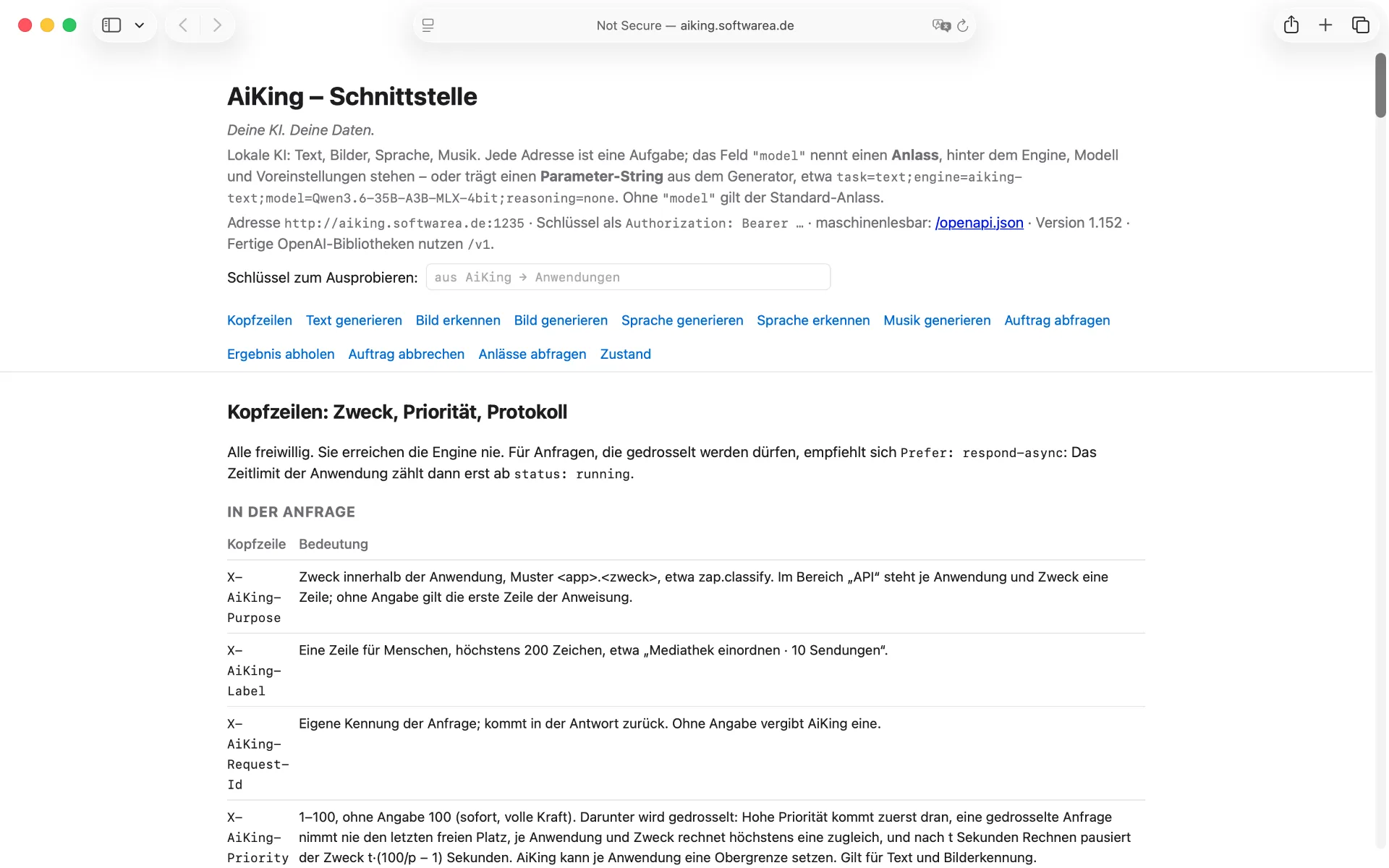
Existing OpenAI libraries keep working as they are.

Your application specifies a purpose like “text-generate” instead of a model. If you switch models, it won’t notice.

  • One key per application – Every request is logged.
  • Priority – A queue decides who gets served first.
  • In control – Choose your own engine and model.
curl http://localhost:1235/v1/chat/completions \
  -H "Authorization: Bearer aik_…" \
  -H "Content-Type: application/json" \
  -d '{
    "model": "text-generate",
    "messages": [{ "role": "user",
                   "content": "Hallo AiKing" }]
  }'
Multiple computers

Share the workload.

Each computer runs its own AiKing; there’s no boss. Computers on the same network find each other automatically. Otherwise, just enter the address.

  • Fixed routing – Requests for a given purpose are sent to another computer.
  • Failover – If an engine doesn’t respond or is overloaded, a fallback purpose takes over.
  • Load balancing – The request goes wherever the queue is shortest.
Under the hood

Four layers, one control center.

When an AI responds on your computer, four layers work together. AiKing is the top layer: it sets up the layers below it for you and distributes the work. For images, AiKing goes deeper and handles the processing itself with its own AiKing FLUX program.

  • AiKing – the control center – Accepts requests from the app or your applications, decides who handles them, and returns the result. Sets up runners and models, keeps them up to date, distributes work across multiple devices, and keeps a log.
  • The runner – keeps a model ready – A program that loads a model into memory, accepts requests, and processes them one by one. Examples include LM Studio, Ollama, and oMLX, all free; AiKing can install them for you.
  • The compute library – does the calculations – Runs the model on the graphics chip, word by word or pixel by pixel. Examples include MLX and llama.cpp. It’s built into the runner, so you never see it directly.
  • The model – what it has learned – A large file containing billions of numbers from training, ranging from a few to several dozen gigabytes. It does nothing on its own. Examples include Qwen, Gemma, FLUX.2, and Whisper. You can swap models at any time.
Frequently asked questions

What buyers often want to know.

  • Do I need LM Studio if I have AiKing? – No. AiKing brings its own text engine with AiKing Text. If you already use LM Studio, Ollama, or oMLX, AiKing integrates them along with their models.
  • What can AiKing do that LM Studio can’t do on its own? – LM Studio is a tool for text models with many knobs. AiKing is designed for getting started: it sets everything up, adds image, speech, and music, and gives your apps a common address with one key per app.
  • Can I keep using models I already have? – Yes. If LM Studio or Ollama is already installed, AiKing finds them and their models and takes them over.
  • Does every request cost something? – No. Processing happens on your computer, so there are no per-request fees.

Requirements

System
macOS 15 Sequoia or later
Chip
Apple chip, M1 or later
Memory
From 8 GB for text and speech, 16 GB for images too, 32 GB for music too, 48 GB for the full setup
Free space
About 20 to 60 GB, depending on your setup
Internet
For setup and downloads
Network
Home network or VPN — AiKing shouldn’t be exposed to the internet

K·I·N·G — Keep it neat & good.

Buy AiKing · €15.99